How to make a TikTok DM mockup
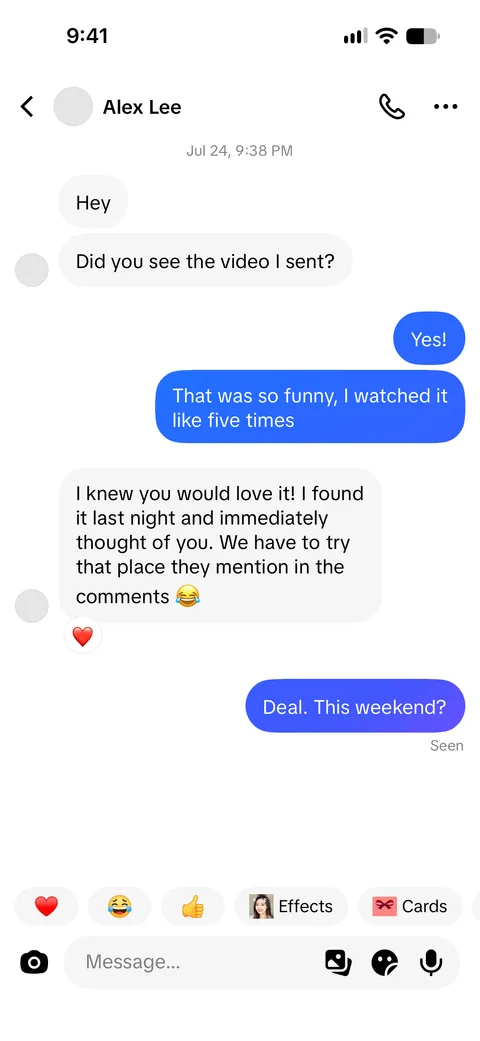
- Enter the contact name and upload a profile photo if you want one.
- Add messages with the “Them” and “Me” buttons, or add a “Notice” for a centered grey system line.
- Open a message’s details to add a time label above it, a reaction such as ❤️, or a “replying to” quote.
- Turn the Seen label and the profile card at the start of the chat on or off, and switch between light and dark.
- Press Download PNG, or start from one of the example conversations.
What you can customize
Chat header
Contact name and photo, with an optional call button.
Messages
Bubbles from either side. A message that is a single emoji is shown large, the way the app does it.
Reactions and replies
Add an emoji reaction under any message, or show it as a reply to an earlier line.
Notices and times
Centered grey notice lines and time labels between messages.
Profile card
The card shown at the start of a new conversation, with following and follower counts.
Seen and theme
A Seen label under your last message, and light or dark appearance.
Tips for a realistic TikTok DM screenshot
Short bursts read naturally
Direct messages are usually several short lines in a row rather than long paragraphs.
Use reactions sparingly
One or two reactions in a thread feel real; a reaction on every message does not.
Match the times
Time labels should move forward through the chat and agree with the status bar clock.
Start a new chat with the profile card
For a first conversation, turn on the profile card so the thread opens the way a new chat does.
What people use it for
- Social media case studies, training and onboarding material
- Customer support and community management examples
- Scripts and storyboards that include a chat scene
- Parody content that is clearly presented as fiction
Please keep it honest: label staged screenshots as mock-ups or fiction where people could mistake them for real. See the terms of use.
Frequently asked questions
Is the TikTok DM mockup generator free?
Yes, with a small SocialMock watermark on downloads. Pro ($9/month) removes the watermark.
Can I add reactions and replies?
Yes. Each message has a reaction field and a “replying to” field in its details.
Does it have dark mode?
Yes. Switch Appearance to Dark to make a dark mode TikTok chat screenshot.
Does it work on a phone?
Yes. The editor works in mobile browsers; the preview is shown above the form and the download button stays at the bottom of the screen.
Is my conversation stored anywhere?
Only in your own browser, so you can come back to it later. Nothing is sent to a server.
Is SocialMock affiliated with TikTok?
No. SocialMock is an independent tool and is not affiliated with or endorsed by TikTok.
What are the limits on use?
Use it for mock-ups, teaching, entertainment and parody. Don’t use it to deceive, impersonate, harass or defraud anyone.